TurboLayer USB Remote Desktop Connection
US$14.95
The TurboLayer Boot Drive: Instant Portable Self-Hosted Secure Screen Access and Sharing
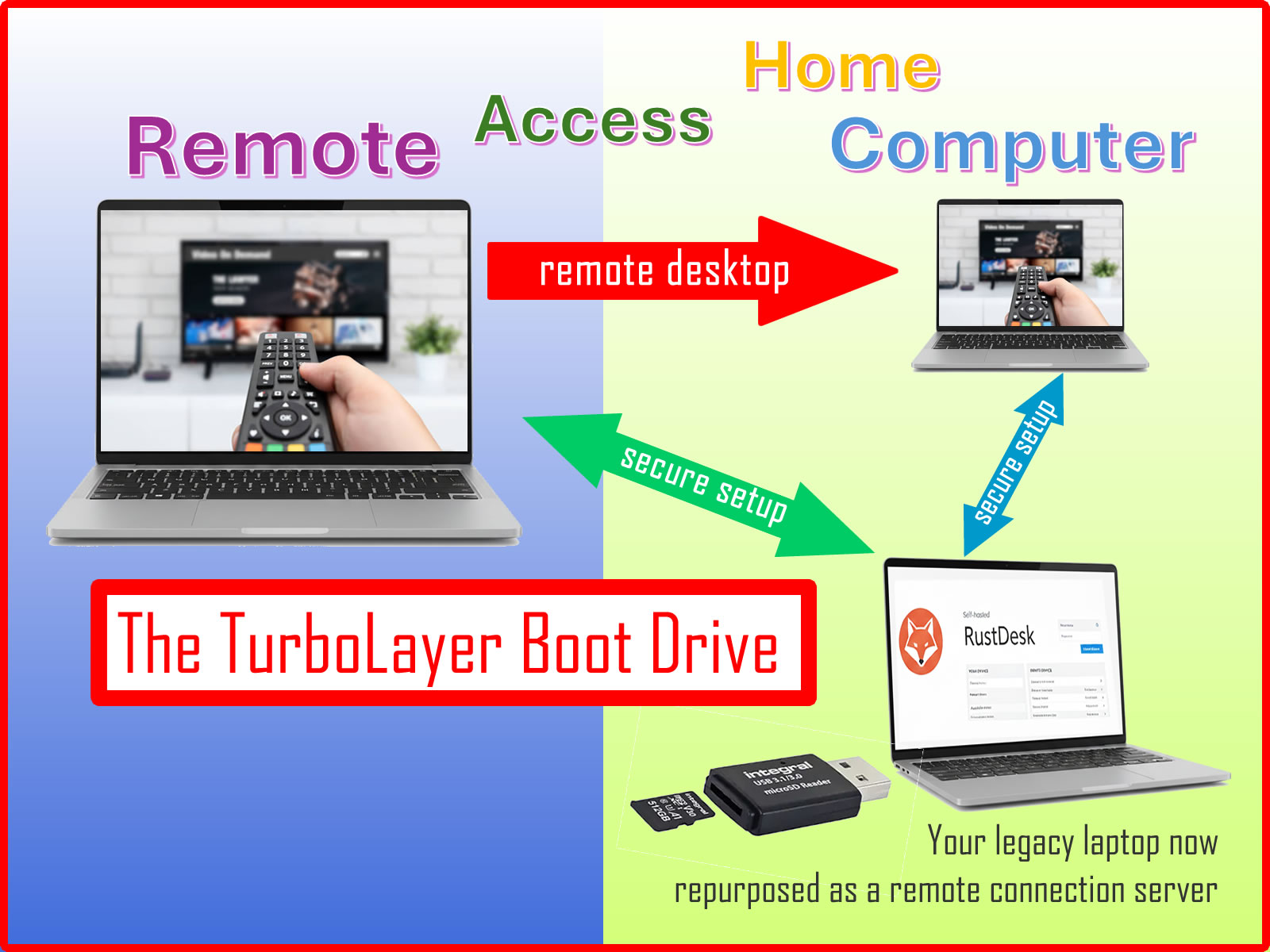
The Plug and Play TurboLayer Boot Drive transforms any compatible x86 laptop or PC into a dedicated, server platform instantly.
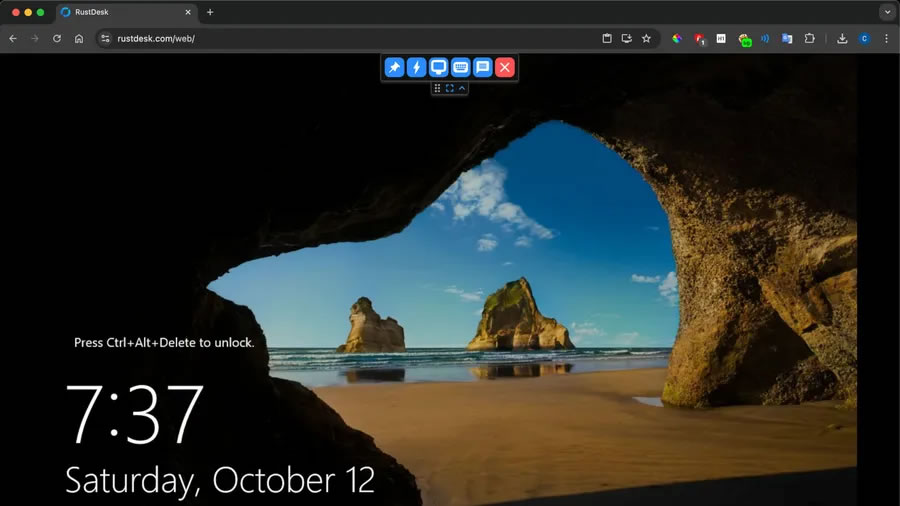
- Download and Install: A compressed server image is available immediately for download upon purchase.
- Self-Hosted Remote Desktop Server: A step-by-step tutorial is included to guide you through the setup, making it an engaging weekend project!
- Your Boot Medium: You provide a 32GB USB stick or microSD card to hold the downloaded server image.
- Your Host Hardware: Repurpose your old x86 laptop or PC that might otherwise be gathering dust, giving it a new life as a dedicated server.
- Non-Intrusive OS: The computer’s internal hard drive remains untouched, as the server operates entirely from the external boot drive. For comprehensive data management, you may optionally purchase a TurboLayer NAS product with free file sync to handle all server data, photos, and files externally.
What is Remote Desktop Connection?
Simply put, it's the ability to use one computer (A) to remotely control another computer (B) over a network, making it seem as if you were sitting right in front of computer (B).
This capability allows you to travel light, potentially avoiding airport customs checks or security hassles related to carrying your main work laptop.
A Self-Hosted Remote Desktop Server (or RDS) ensures that the connection and data flow between your remote computer (A) and your home computer (B) are securely established, without relying on third parties.
The difference is that you own the infrastructure, providing a private alternative to Cloud-based RDS solutions (such as those offered by Google or Microsoft), and critically, without corporate eyes watching every click.
What You Get
- 1x USB TurboLayer Boot Drive Image via Download to be installed on a 32GB USB memory stick or microSD card
- Step-by-Step Instruction Manual: Easy-to-follow setup guide included.
System Requirements for the Host Laptop/PC
The TurboLayer Boot Drive is designed to utilize standard x86/x64 PC hardware. Please ensure your host device meets the following minimum requirements:
- Processor: Any x86 or x64 CPU (Intel or AMD).
- RAM: Minimum 2 GB recommended.
- Boot Medium: A USB stick (32GB+), SD card (32GB+), or SSD to flash the image onto. This will be your permanent boot drive.
- BIOS/UEFI Support: Must support booting from USB/external media.
Installation Process Overview
The installation is straightforward and avoids complex partitioning:
- Prepare Boot Medium: Insert the USB/SSD you wish to use as your server's permanent operating system drive.
- Flash Image: Use the provided Universal Installer Tool to write the TurboLayer Server Image file to your chosen boot medium.
- Boot Server: Plug the newly created boot drive into your target laptop/PC and configure the BIOS/UEFI to boot from it.
- Launch Services: On first boot, the system initializes, and you are ready to install the self-hosted applications.